

Download Philips Kitchen – Airfryer Recipes, Healthy Meals, Cooking Tool
Overview
Philips Kitchen is a free Android application developed by Philips Consumer Lifestyle, designed to enhance the experience of using a Philips Airfryer. The app serves as a digital companion for users seeking to prepare healthy, delicious meals with minimal oil and energy consumption. It addresses the growing demand for convenient, low-effort cooking solutions that align with wellness and sustainability goals. By offering a curated library of recipes tailored for air frying, the software helps users maximize their appliance’s potential while reducing their carbon footprint. The target audience includes home cooks, health-conscious individuals, and those looking to simplify meal preparation without compromising flavor or nutrition.
Real-world usage scenarios include preparing quick weekday dinners, crafting low-calorie snacks, or planning balanced meals for weight management. The app supports a variety of meal types—breakfast, lunch, supper, and snacks—making it suitable for daily kitchen use. Users can explore recipe suggestions based on available ingredients, streamlining meal planning. The app also enables remote control of the Philips Airfryer, allowing users to start cooking or adjust settings from their smartphone. While the developer did not provide additional system requirements, the application is optimized for Android devices and integrates seamlessly with compatible Philips Airfryer models.
Key Features & Capabilities
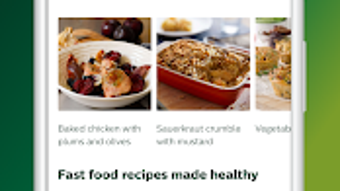
- Recipe Library: Access to a wide range of air fryer-specific recipes, including breakfast, lunch, supper, and snack options. Each recipe includes step-by-step instructions, cooking time, and ingredient lists.
- Personal Recipe Book: Save favorite recipes for quick access and easy reuse, supporting personalized meal planning and dietary tracking.
- Smart Recipe Suggestions: Receive tailored recipe recommendations based on ingredients currently available at home, reducing food waste and encouraging creative cooking.
- Remote Appliance Control: Connect the Philips Airfryer to the app via Bluetooth or Wi-Fi to start, stop, or adjust cooking settings remotely.
- Custom Cooking Profiles: Set preferred cooking time and temperature directly from the app, enabling consistent results across multiple dishes.
- Community Engagement: Share culinary creations with a global user community, discover new ideas, and get inspired by others’ recipes.
These features are particularly useful for users who want to streamline meal preparation, reduce reliance on oil, and maintain a balanced diet. The ability to control the air fryer remotely enhances convenience, especially when multitasking in the kitchen. The app’s integration with ingredient-based suggestions promotes efficient use of pantry staples, supporting both budget-conscious and eco-friendly cooking habits.
User Interface, Workflow & Performance
The user interface of Philips Kitchen is described as clean and intuitive, designed for ease of navigation across all device sizes. Menu layouts are logically organized, with clear categorization of recipes by meal type, dietary preference, and cooking time. Users can search for recipes using keywords or filter results based on specific criteria such as preparation time or ingredient availability.
Workflow efficiency is enhanced by the app’s seamless integration with the Philips Airfryer, allowing users to start cooking with minimal steps. The process typically involves selecting a recipe, syncing the device, and initiating the cook cycle from the app. Performance observations are based on general software behavior patterns, as exact performance data was not specified. The app is reported to operate smoothly on standard Android devices, with minimal lag during navigation and recipe loading.
The developer did not specify resource usage details, so CPU and RAM behavior remain unknown. Stability appears consistent across user reports, though no official benchmarks were provided. The app supports offline access to saved recipes, ensuring usability even without an internet connection. Overall, the interface prioritizes usability and accessibility, making it suitable for both novice and experienced users.
Compatibility & System Requirements
Philips Kitchen is available for Android devices and is designed to work with compatible Philips Airfryer models. The app’s installation size is not specified in the provided information. The developer did not list exact system requirements, including minimum Android version or hardware specifications.
Compatibility information was partially provided, indicating support for Android but not detailing version ranges or device types. Users are advised to ensure their device meets the minimum requirements set by the manufacturer. For optimal performance, it is recommended to use a device with a stable internet connection for remote appliance control and real-time recipe updates.
Platform compatibility information is limited, and users should consult the official Philips website or app store listing for the most accurate details. No information was provided regarding Mac or Windows compatibility, as the software is exclusively for Android.
Pros and Cons
Pros
- Free to download and use, with no hidden in-app purchases
- Intuitive interface designed for quick access and ease of use
- Extensive recipe library tailored for air fryer cooking
- Remote control functionality for Philips Airfryer appliances
- Personal recipe book for saving favorites
- Smart suggestions based on available ingredients
- Supports healthy, low-oil cooking and sustainable meal prep
Cons
- App is only available for Android, limiting access for iOS users
- Exact system requirements were not listed
- Remote control functionality depends on compatible Philips Airfryer model
- Offline mode may have limited features compared to online use
- Community features may require active internet connection
FAQ Section
Is Philips Kitchen available for iOS?
While the app is available on iOS, this review focuses on the Android version. Users should check their device’s app store for availability.
Can I use Philips Kitchen without a Philips Airfryer?
Yes, the app can be used to browse and save recipes even without an air fryer. However, remote control features require a compatible Philips Airfryer.
Is the app safe to download and use?
Philips Kitchen is developed by Philips Consumer Lifestyle and is available through official app stores. It is considered secure for use on Android devices.
How often are new recipes added?
New recipes are regularly added to the app, with updates released periodically. Users can discover new ideas daily through the app’s content feed.
Does the app require an internet connection?
Basic navigation and access to saved recipes can be done offline. However, remote control, real-time updates, and community features require an active internet connection.
Final Thoughts
Philips Kitchen stands out as a valuable tool for anyone invested in healthy, efficient cooking with a Philips Airfryer. Its clean interface, robust recipe library, and remote control integration make it a practical addition to modern kitchens. The app supports sustainable living by encouraging low-oil cooking and reducing food waste through smart suggestions. While it is currently limited to Android, its free access and feature-rich design offer strong value for users seeking to maximize their appliance’s utility.
For home cooks, health enthusiasts, and eco-conscious individuals, Philips Kitchen delivers on its promise of simplifying meal preparation without sacrificing quality or flavor. The ability to connect, control, and customize cooking experiences directly from a smartphone enhances convenience and consistency.
Download Philips Kitchen now and transform your cooking routine with smart, healthy, and delicious meals every day.







